
Press kit
Everything you need to write about Zmina.
Logos, screenshots, copy-and-paste descriptions, and the fast facts. If something is missing, or you need a higher-res asset, email support@zmina.app and you'll usually get it the same day.
Fast facts
- Product
- Zmina, a context-aware clipboard
- Category
- Productivity / developer tools
- Platform
- macOS
- Built with
- Rust and Tauri, all processing on-device
- Price
- $35 one-time, lifetime license, 14-day free trial
- Launch
- August 7, 2026
- Maker
- Mykhailo Onikiienko, solo developer
- Location
- British Columbia, Canada
- Website
- https://zmina.app
- Press contact
- support@zmina.app
Logos
Marks and wordmark.
SVG is the source format, crisp at any size. A transparent PNG ships with each one, for tools that don't support SVG. Pick by background: black on light or neutral, white on dark. Black is also the one for single-color and print. Please don't recolor, rotate, or stretch.




Screenshots
The app in use.
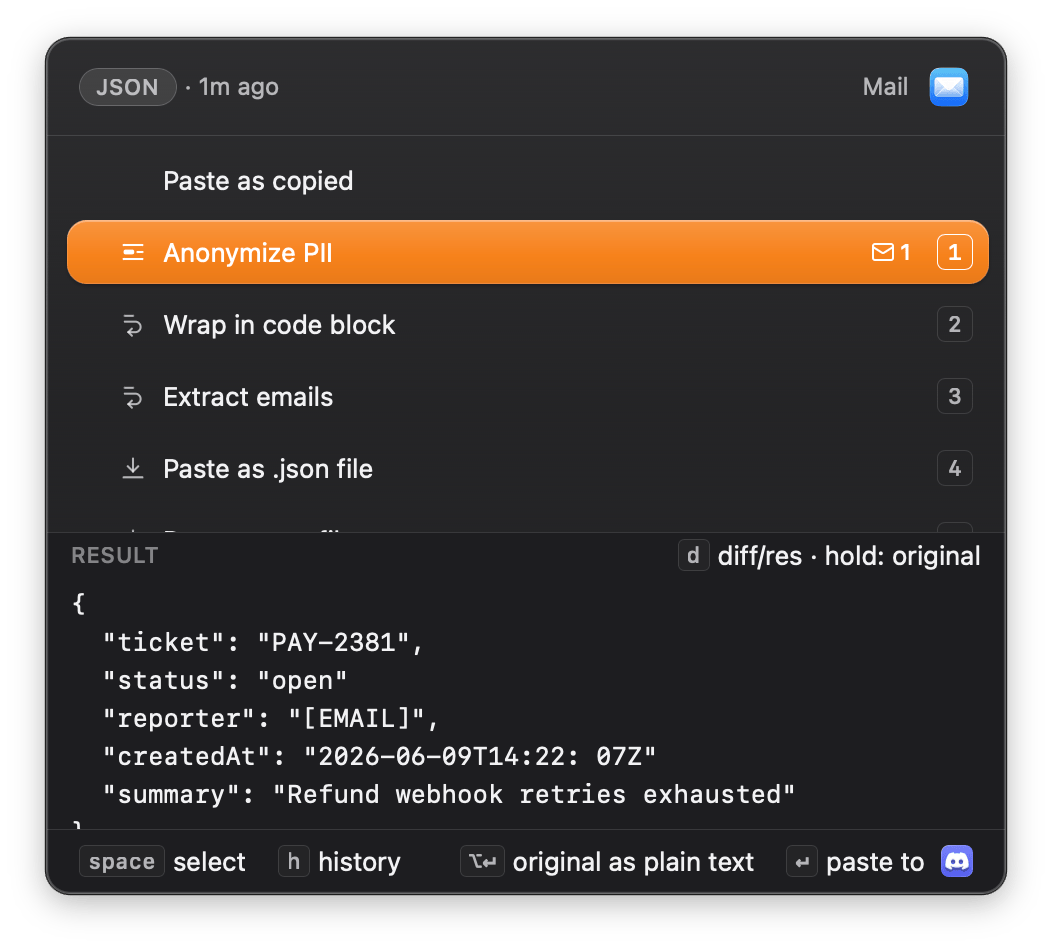
![The Smart Paste popup showing the Anonymize PII diff: a reporter email address struck through in red, replaced by the placeholder [EMAIL] on the green line below.](/press/zmina-shot-anonymize.png)
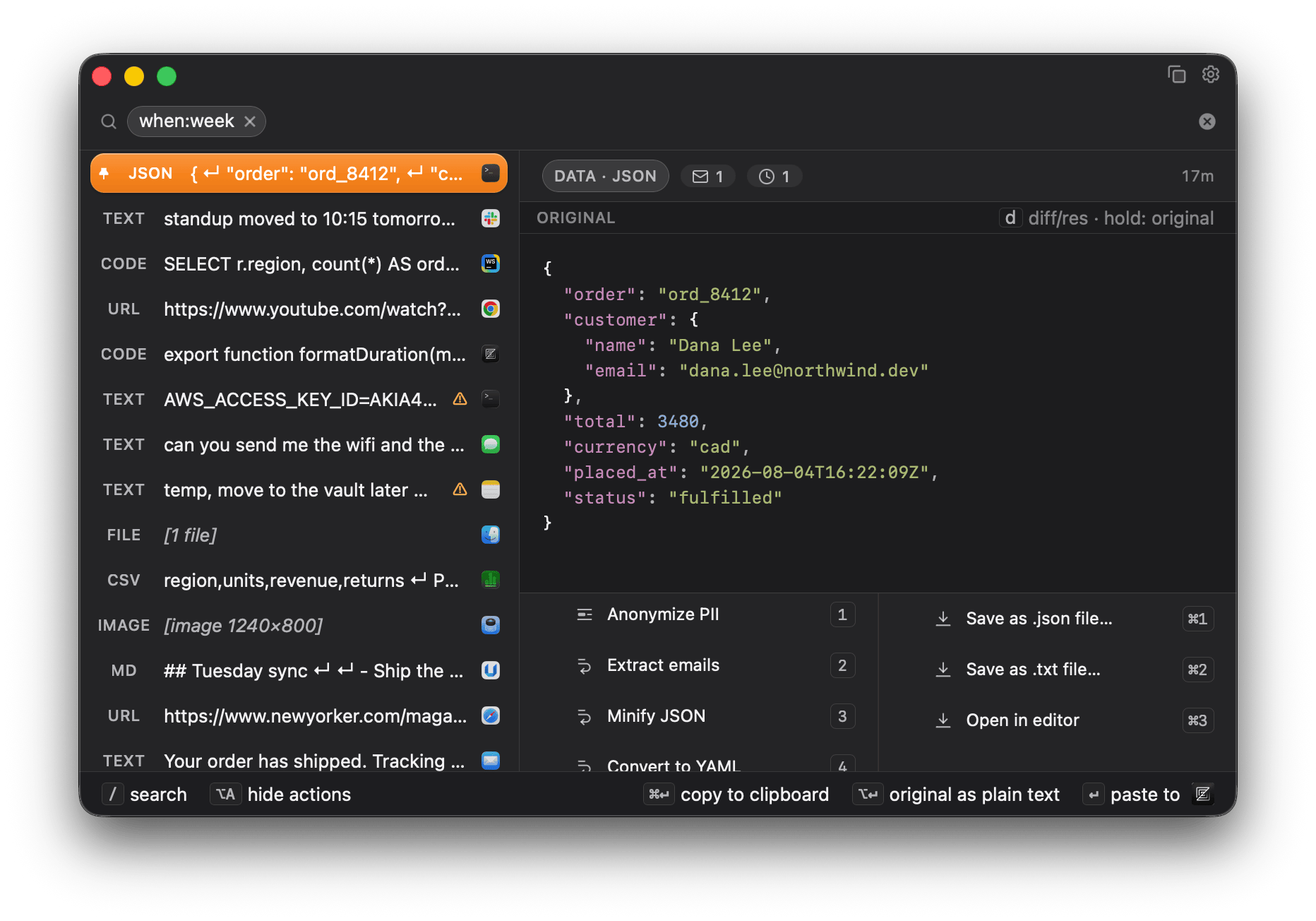
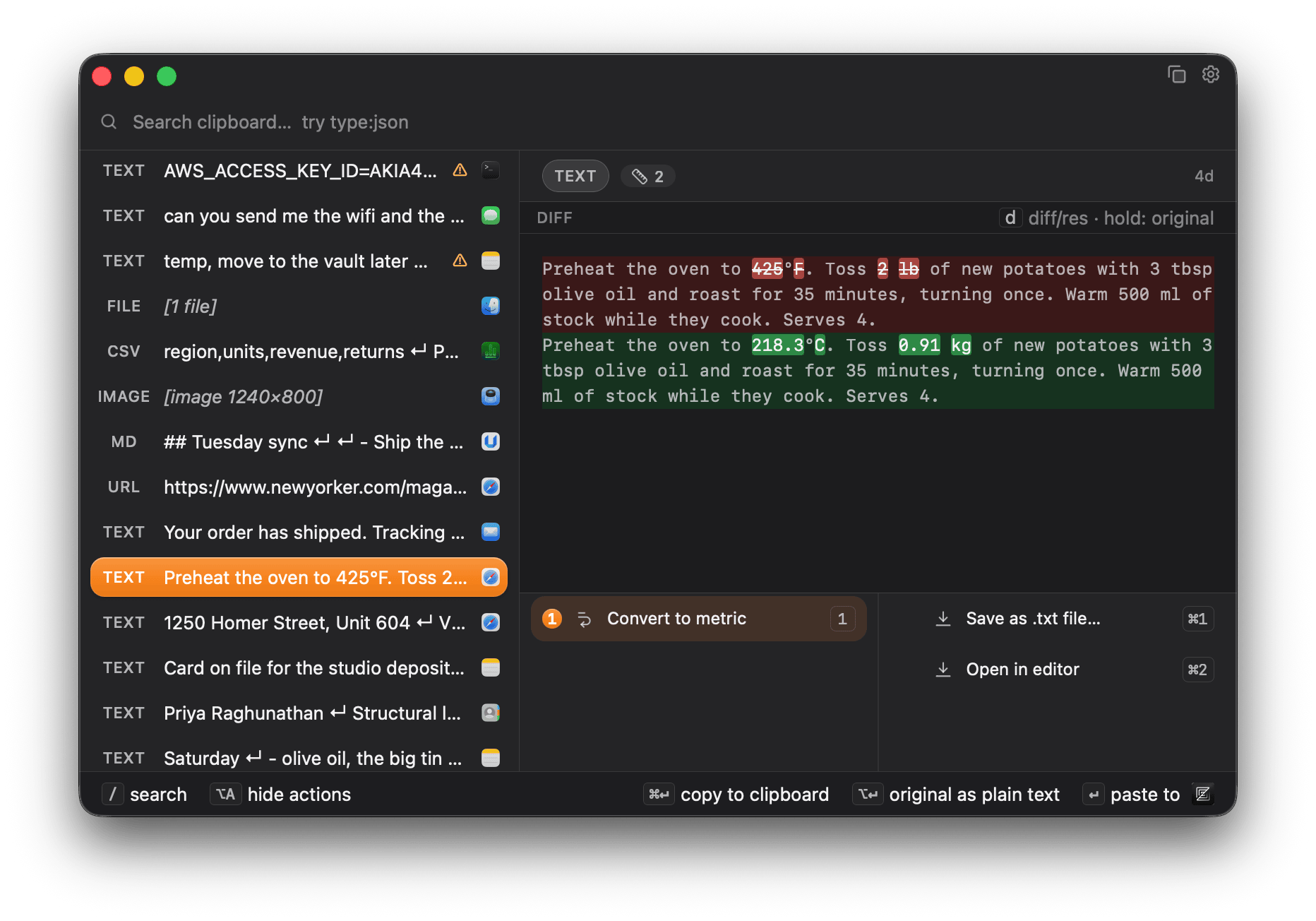




Video
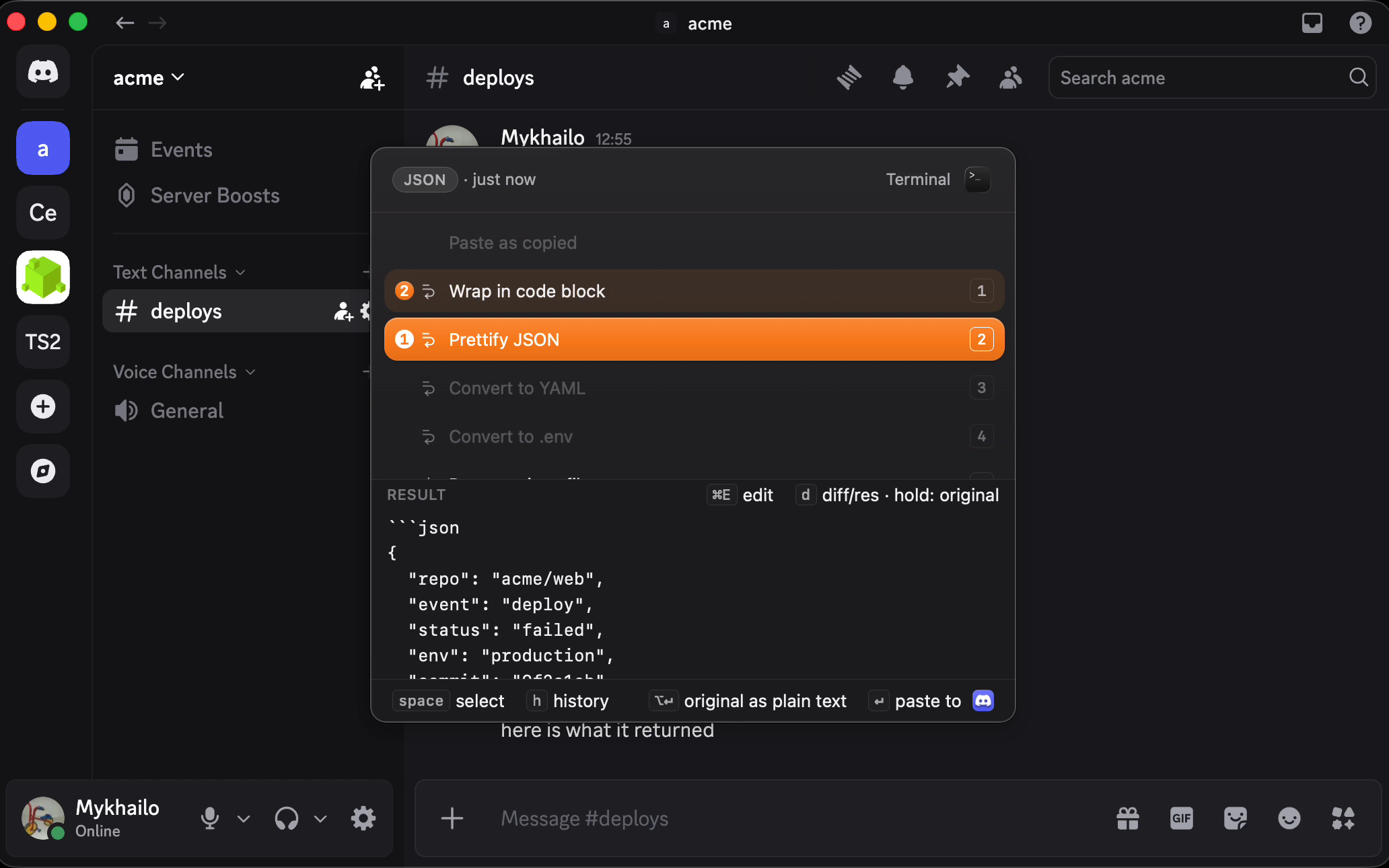
Two transforms, in about ten seconds each.
Both silent, no captions burned in, and both loop cleanly enough to sit under a paragraph. They are the same clips the homepage runs.
Descriptions
Copy and paste.
In 50 words
Zmina is a clipboard that knows where you're pasting. It sees what you copied and where it's going, then offers a short list you pick from: remove tracking codes from a link, wrap code as a code block, redact a secret. Nothing you copy leaves your computer. macOS, one-time purchase.
In 150 words
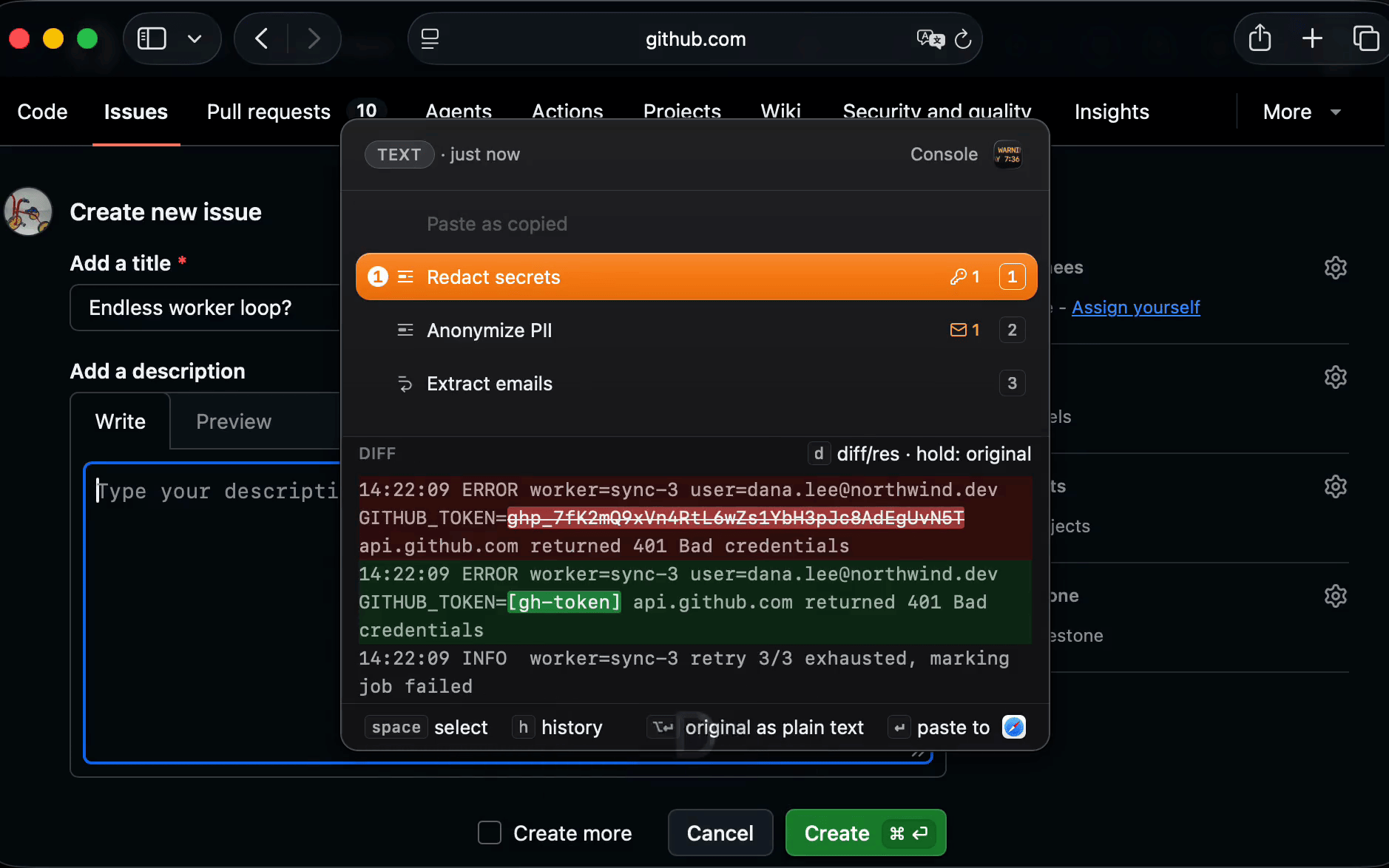
Zmina is a clipboard for people who copy and paste all day. Instead of just storing history, it sees what you copied and which app you're pasting into, then offers a short ranked list of relevant actions: remove the tracking codes from a URL before you send it in a message, wrap a terminal snippet as a code block for chat, redact a token out of a log line before it reaches a bug report. You pick one or a few, see what will change, and it pastes. Small text files you copy work too.
It also keeps everything you copy, labelled by type and searchable. Because a tool that sees everything you copy has to be trustworthy, it all stays on your device: no account, no telemetry, nothing uploaded. It is a one-time purchase with a 14-day free trial, built in Rust with Tauri, and runs on macOS.
In 500 words
The work of copy and paste is rarely just moving text. Often you need to do some work in between. You copy a link and have to remove the tracking codes before sharing it. You copy code from a terminal and have to wrap it so chat doesn't break its formatting. You copy a log line to file a bug report and have to remove the secret first. Every clipboard manager on the market stores what you copied. Almost none of them help with what happens at the moment you paste.
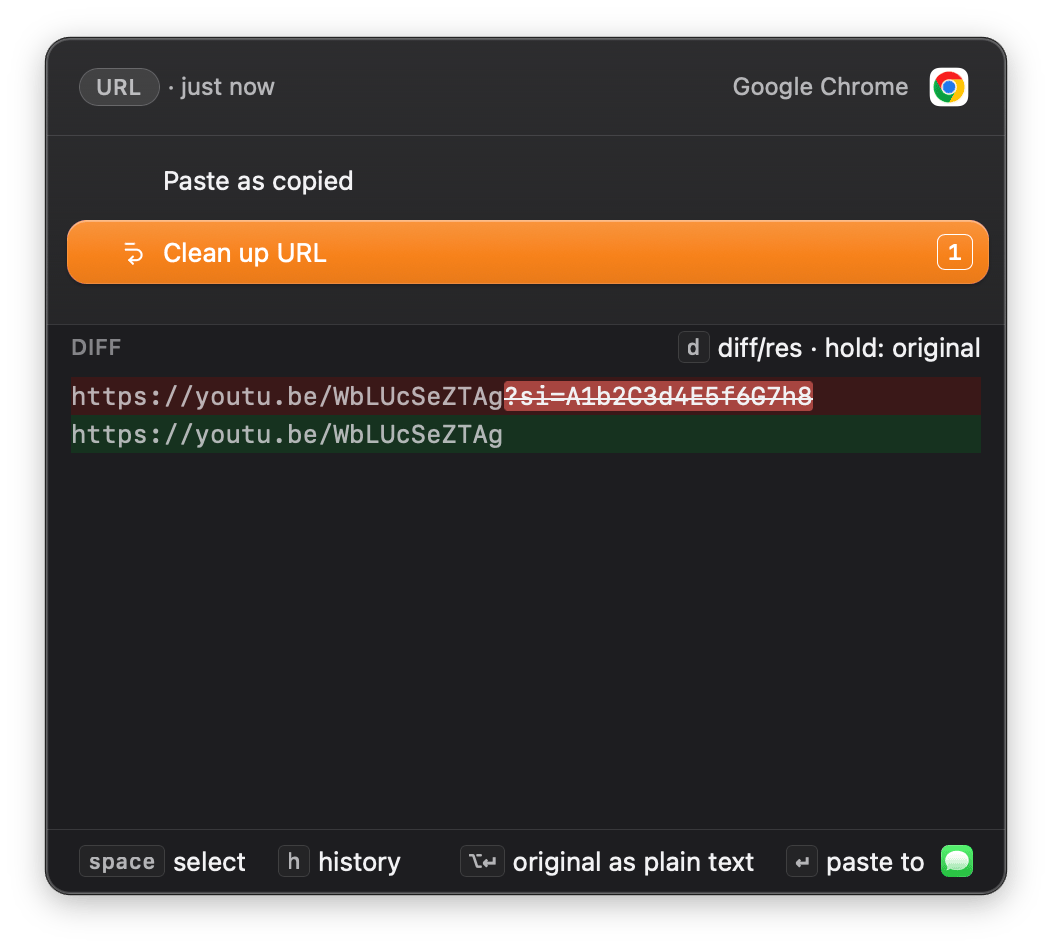
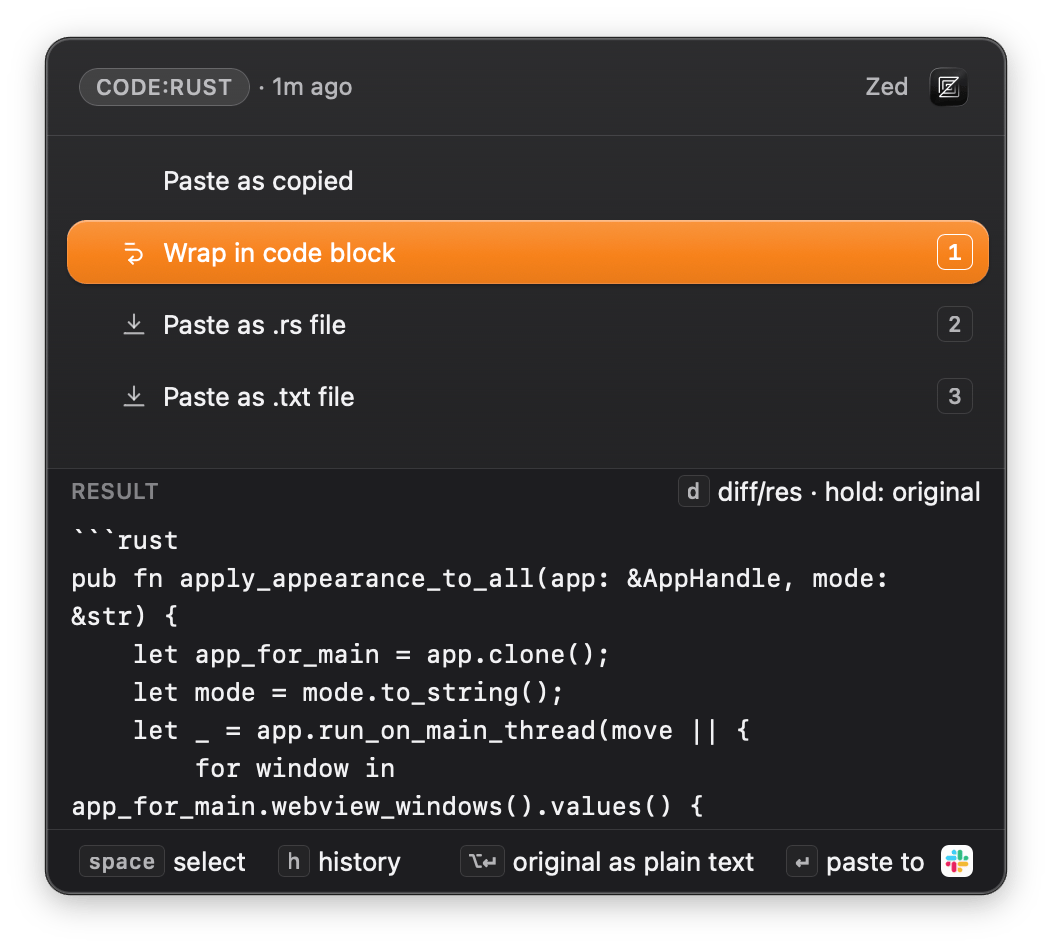
Zmina's main feature, Smart Paste, does exactly that. When you trigger it, a small popup opens over the app you're pasting into, listing the actions that fit what you copied and where it is going. Number keys to choose, Enter to paste, and you can run more than one change in a row. You see a preview of the result before anything commits, so nothing is applied that you have not looked at. The right version of the text lands in the right place in one keystroke, instead of pasting into a temporary document first to clean it up. Text files work too. Copy a small one, such as config.json, convert it to YAML, and paste it into Finder as config.yaml. The file you copied is never changed.
Behind Smart Paste is a full clipboard history. Everything you copy is labelled by type and searchable, so you can find something from an hour ago by filtering for links, addresses, snippets, or items that contain a secret. You can run the same changes on a past item without pasting it anywhere, which makes it a quick way to clean text up before sharing it. You can also group items into collections you name.
Because a clipboard tool sees everything you copy, the work happens on your computer. Your history stays on your disk. There is no account.
The app makes one kind of outbound request, the update cycle: an identifier-free check for new versions and security advisories. By default Zmina downloads and installs an update if there is one. That is disclosed on first run and it comes off with one switch. Turned off, the app reaches out for nothing on its own. There is no telemetry of any kind. You can watch all of it with any network monitor. You will see the version manifest, the advisory, and the signed release when you're behind, or nothing at all until you ask for a check yourself.
Zmina is a one-time purchase of $35 with a lifetime license and a 14-day full-featured free trial. There is no subscription and no paid v2. Every update is free, with no version cut-off. The money comes from new customers and optional add-ons, not from making you buy the same app again. It is made by Mykhailo Onikiienko, a solo developer in British Columbia, Canada. Built in Rust with Tauri, it ships on macOS.